Portfolio Builder
Made for Engineers.
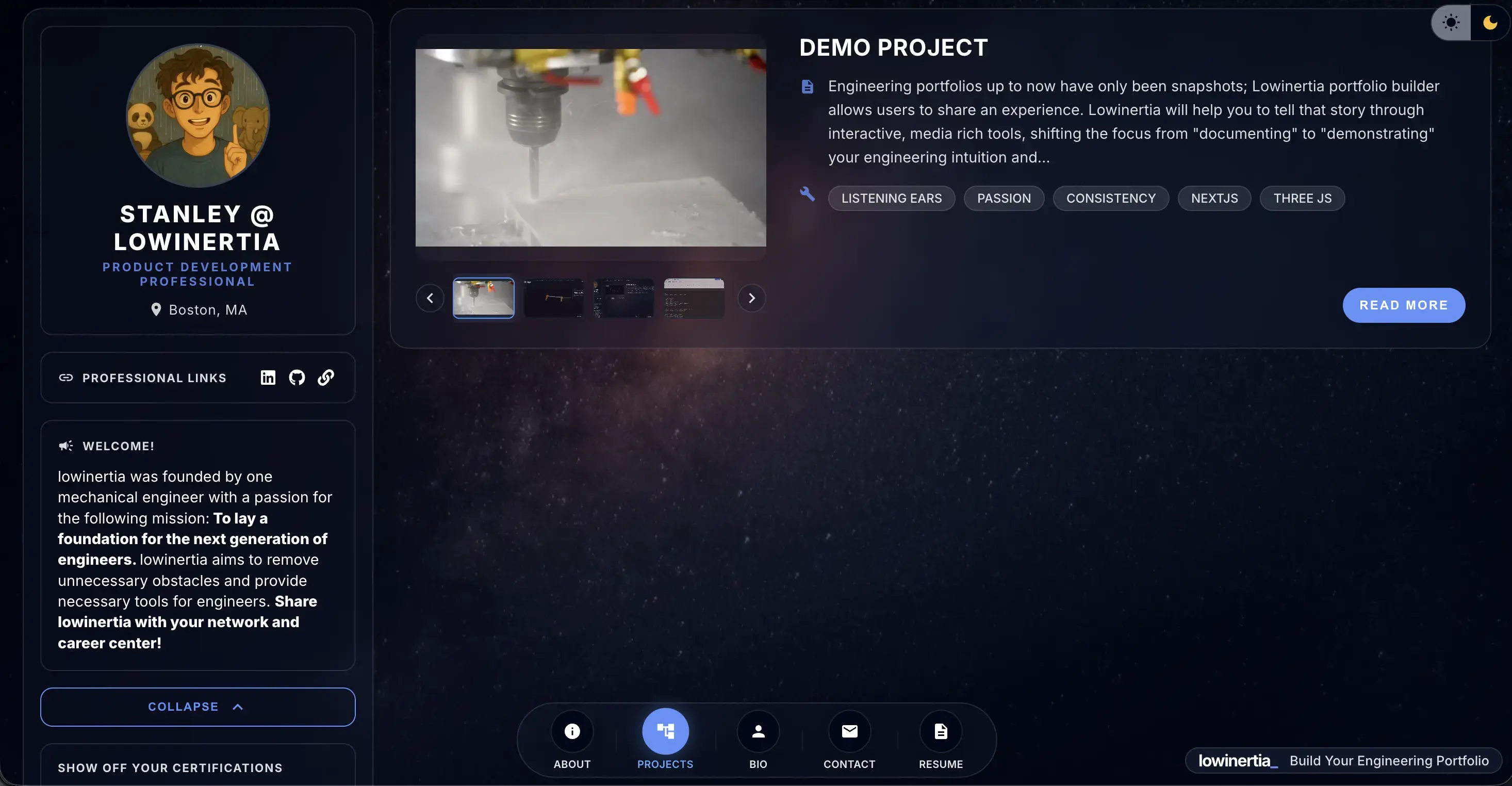
Optimized visuals, interactive 3D showcases, project notebooks, and other tools built for hardware engineers. Publish in minutes.
Trusted by students at
Our Mission
To Help Build Momentum for Every Engineer
Lowinertia is 100% free
Our mission is deeply personal. Lowinertia was founded by a Korean American immigrant who aspired to become a mechanical engineer. Despite facing financial hurdles, cultural barriers, and a lack of early professional networks, his dream became a reality thanks to the generous kindness of experienced engineers who chose to take a chance on him.
Lowinertia exists to give every engineer, from all backgrounds, the jump start they need to succeed.
Building a Culture of Pay-It-Forward
Our hope is that this philosophy takes root among lowinertia users who would later support the growth of the next generation of engineers. If you believe in what we're building or When you land your next job, please consider supporting our cause.
If you'd like to support our mission today, your contributions are always welcome!
Make a ContributionHow it works
3 Simple Steps To Set Up Your Portfolio Page
Use AI-Powered Smart Import to set up your page in 2 minutes.
Smart Import / Profile Setup
AI-powered resume/CV import or You can choose to manually enter your information.
Personalize Your Page
Upload profile image and enter your own unique URL slug.
Publish
That's it! Check out your page and add and manage your projects.
Features
Premium Tools for your portfolio
3D Design Showcase
Transform your 3D models into interactive stories. Don't just show your CAD model, show your design process. With features like exploding views and scroll-based animations with annotations, you can create a truly immersive experience for your viewers.
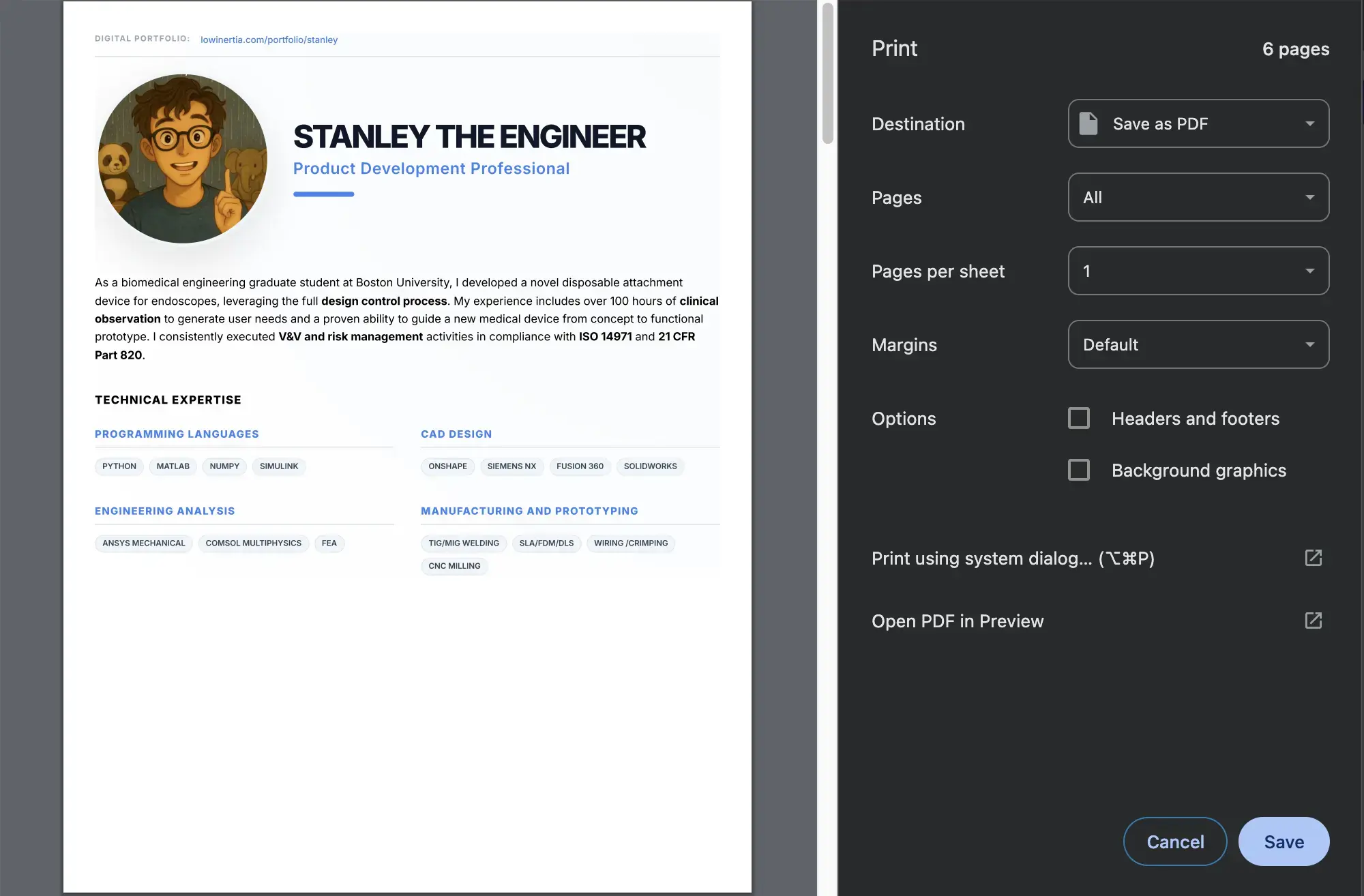
One-Click PDF Export
Generate a PDF version of your portfolio with a single click. Ready for job applications.
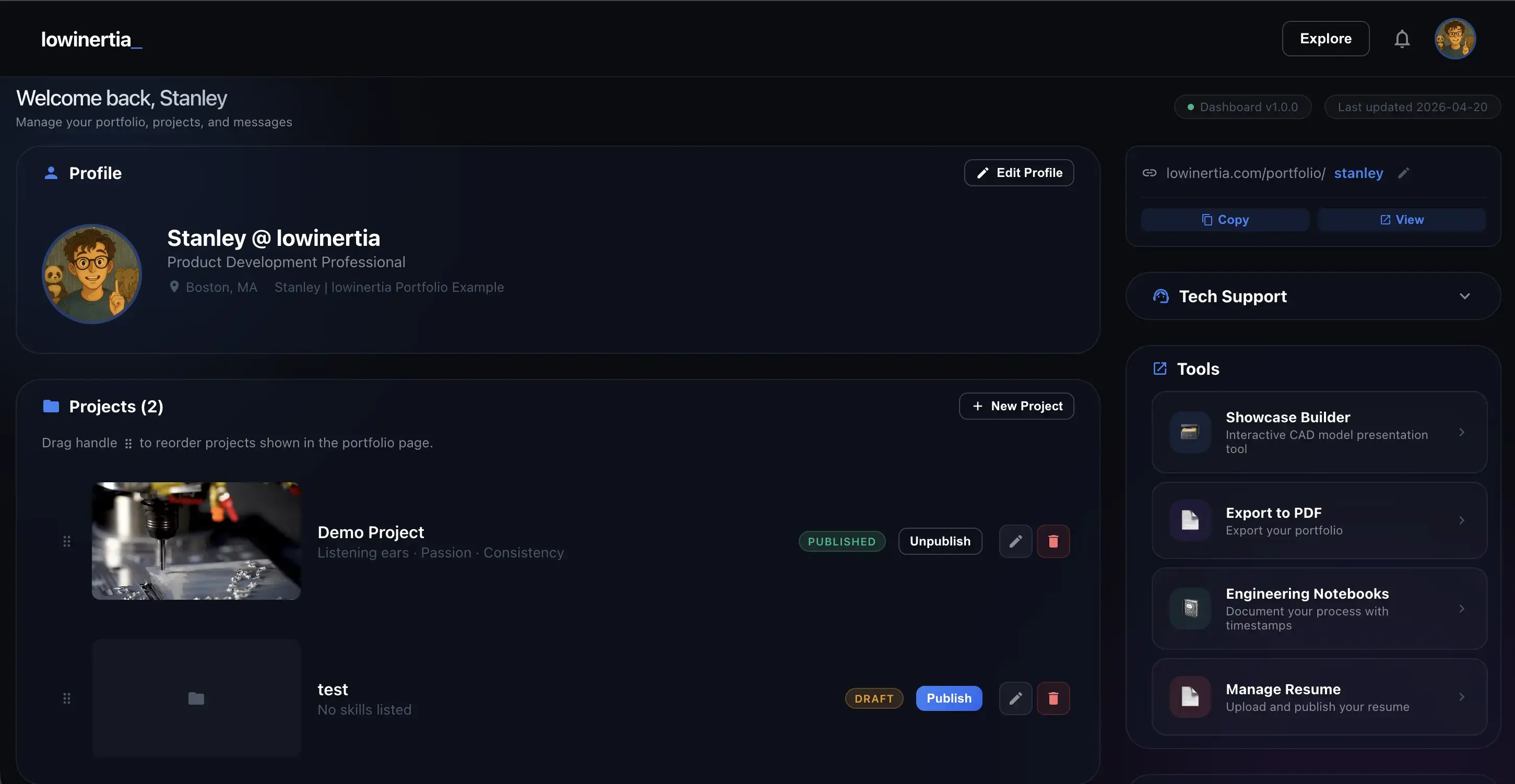
Portfolio Dashboard
A rich set of tools to manage your portfolio.
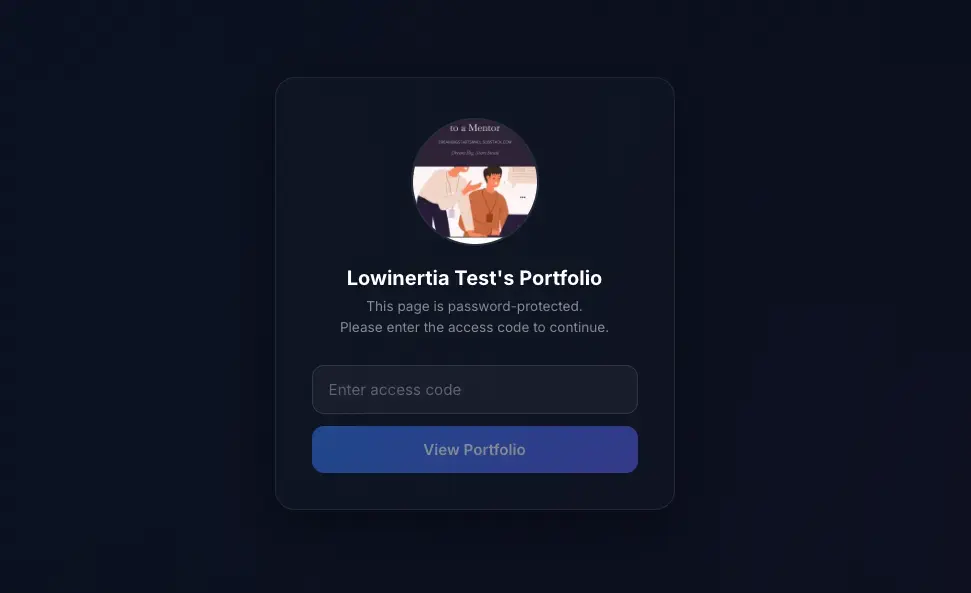
Private Access Codes
Keep your content secure. Share your portfolio securely using exclusive access codes.
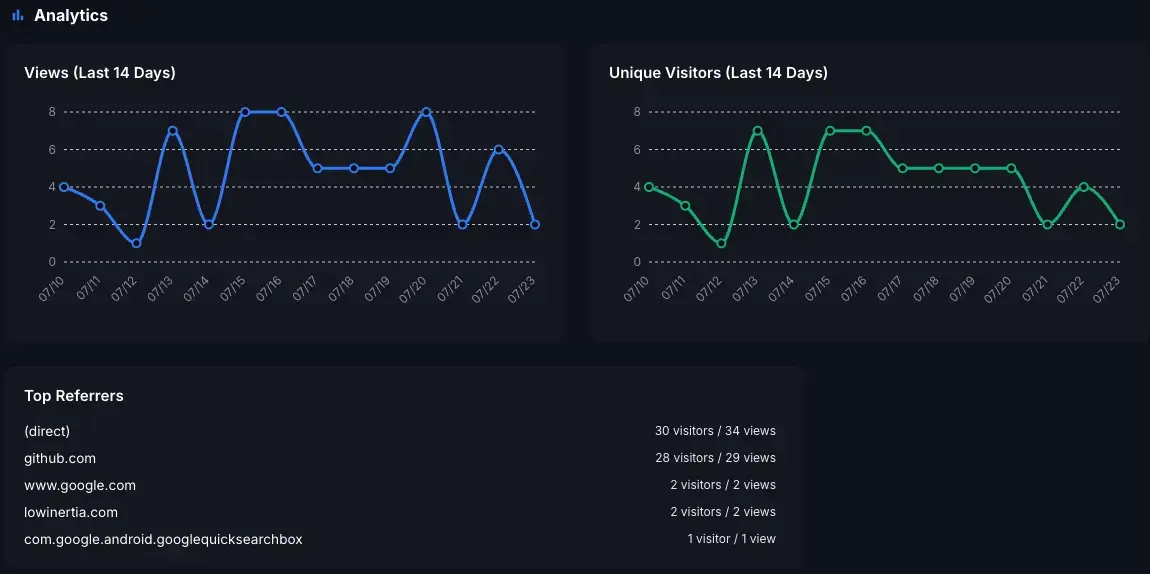
Insights & Analytics
Gain real-time insights into your portfolio. Monitor total views, unique visitors, and top referral sources.
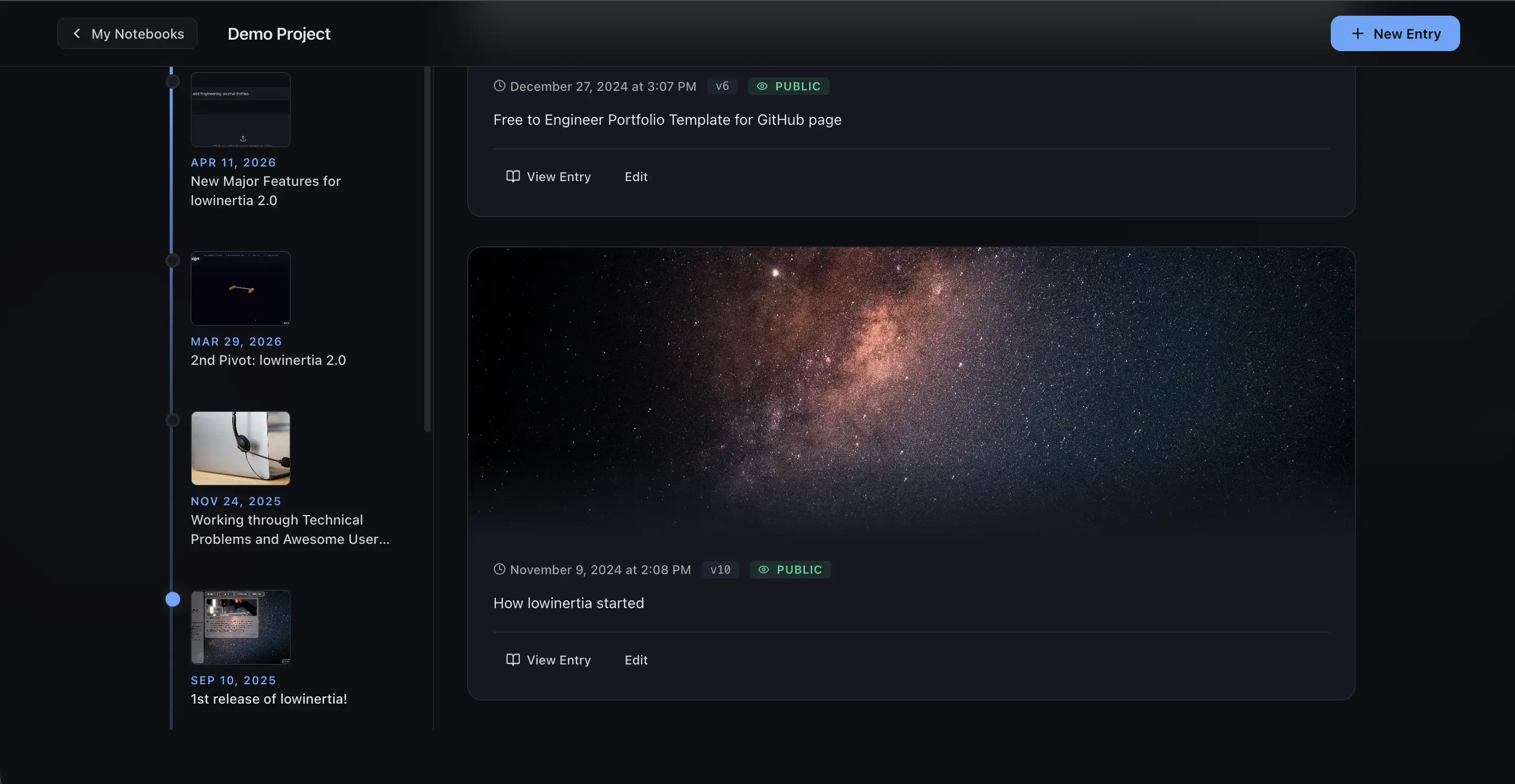
Engineering Notebook
Don't just "show" a simple portfolio—document your entire engineering journey. Provide deep technical evidence of your problem-solving process to stand out.
Get started
Ready to elevate your career?
Start Building Your Portfolio Today