

Problem Statement
DC motors are widely used in embedded and electromechanical systems, yet reliable control of motor speed and direction requires careful integration of hardware, user inputs, and sensor feedback. Many basic motor control implementations lack robustness, are sensitive to noisy signals, or do not provide real-time feedback to verify motor behavior. The objective of this project was to design and implement a DC motor control system that allows intuitive user control of speed and direction while ensuring stable operation and measurable motor feedback. The system needed to interface safely with a motor driver, handle both analog and digital inputs, and accurately monitor motor rotation using a Hall-effect encoder.
Bill of Materials (BOM)
The following table lists the components used in the prototype, including part numbers, quantities, and additional notes.
Item | Component | Part Number | Qty | Notes |
1 | Motor Driver | TB6612FNG | 1 | Acts as an interface between Arduino and the motor |
2 | DC encoder motor | TS-25GAH37045 | 1 | 130RPM, 12V DC |
3 | Potentiometer | 10k ohms | 1 | Used to control motor speed |
| 4 | Resistors | 10k ohms | 2 | Works as a pull-down resistor system to set pushbuttons to low |
5 | 12V battery Pack | YB1203000-USB | 1 | Powers the motor system |
6 | Push buttons | N/A | 2 | Used to control motor direction. |
7 | Arduino Uno R3 | A000066 | 1 | Runs Arduino control via serial interface |
8 | Plastic fan blade | N/A | 1 | Showing motor movement |
DC Motor System Review
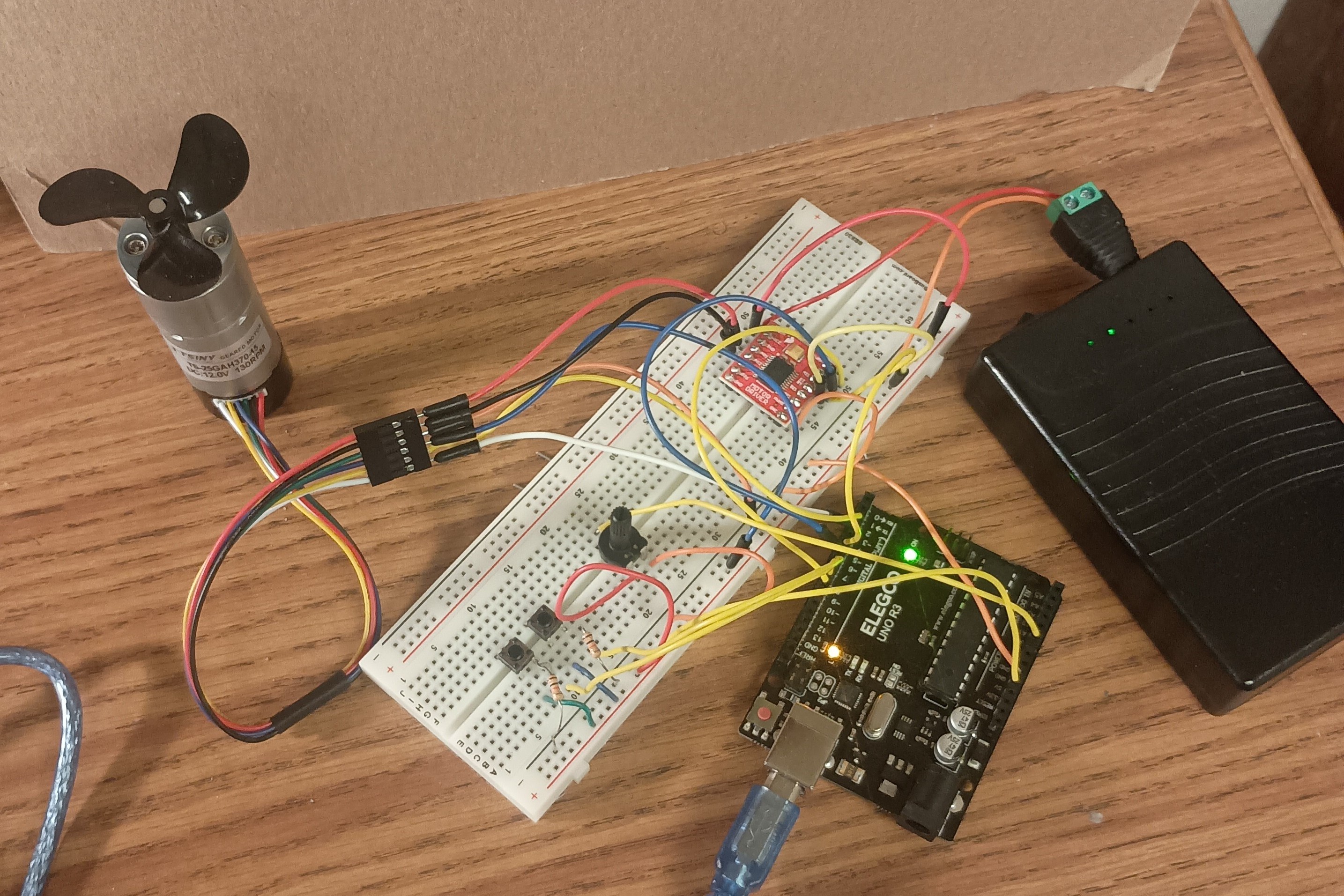
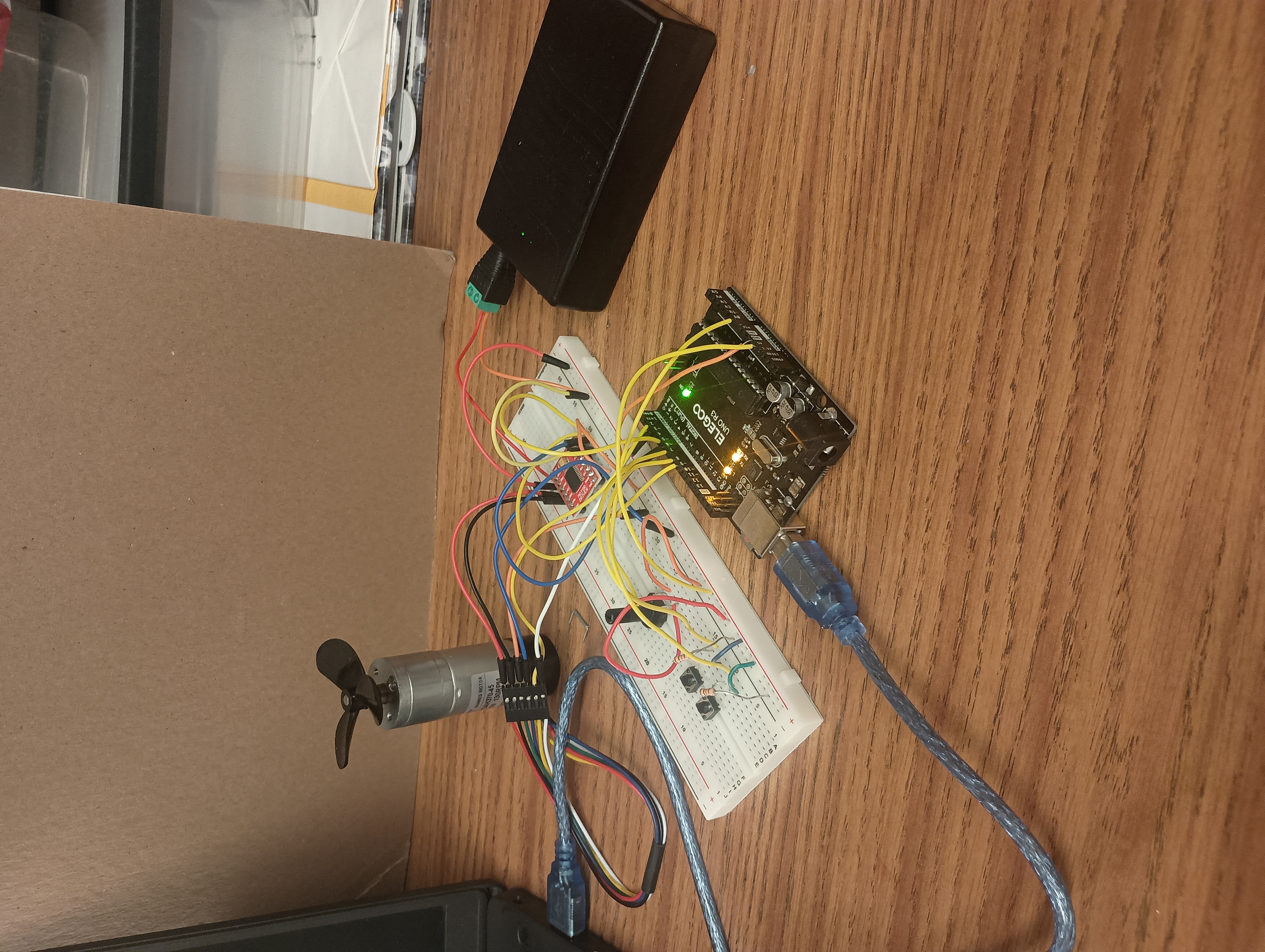
DC Motor Control Script
// === Motor Driver Pins (TB6612FNG) === //
const int pwmPin  = 9;   // PWMA
const int dirPin1 = 5;   // AIN1
const int dirPin2 = 6;   // AIN2

// === User Inputs === //
const int potPin = A0;  // Potentiometer
const int buttonForward = 7;
const int buttonReverse = 8;

// === Hall Sensor === //
const int hallA = 2;
const int hallB = 3;
volatile long hallCount = 0;  // Signed count for direction
volatile bool lastHallBState;

// === Settings === //
const int minPWM = 60;  // Minimum PWM to overcome motor stall
void setup() {
pinMode(pwmPin, OUTPUT);
pinMode(dirPin1, OUTPUT);
pinMode(dirPin2, OUTPUT);

pinMode(buttonForward, INPUT);
pinMode(buttonReverse, INPUT);

pinMode(hallA, INPUT);
pinMode(hallB, INPUT);
lastHallBState = digitalRead(hallB); attachInterrupt(digitalPinToInterrupt(hallA), hallISR, RISING);
Serial.begin(9600);
}

void loop() {
// === Direction Control === //
bool forwardPressed = (digitalRead(buttonForward) == HIGH);
bool reversePressed = (digitalRead(buttonReverse) == HIGH);

if (forwardPressed) {
digitalWrite(dirPin1, HIGH);
digitalWrite(dirPin2, LOW);
}
else if (reversePressed) {
digitalWrite(dirPin1, LOW);
digitalWrite(dirPin2, HIGH);
}
else {
digitalWrite(dirPin1, LOW);
digitalWrite(dirPin2, LOW);
}
// === Potentiometer Read === //
int potValue = analogRead(potPin);  // 0–1023
int pwmValue = map(potValue, 0, 1023, 0, 255);

if (pwmValue > 0 && pwmValue < minPWM) {
pwmValue = minPWM;
}
analogWrite(pwmPin, pwmValue);
// === Serial Debug === //
static unsigned long lastPrint = 0;
if (millis() - lastPrint > 1000) {
Serial.print("Pot: ");
Serial.print(potValue);
Serial.print(" | PWM: ");
Serial.print(pwmValue);
Serial.print(" | Hall pulses/sec: ");
Serial.println(hallCount);
Serial.print(" Forward: ");
Serial.print(digitalRead(buttonForward));
Serial.print(" | Reverse: ");
Serial.println(digitalRead(buttonReverse));
hallCount = 0;
lastPrint = millis();
 }
}
void hallISR() {
hallCount++;
}