


Project Details
Overview
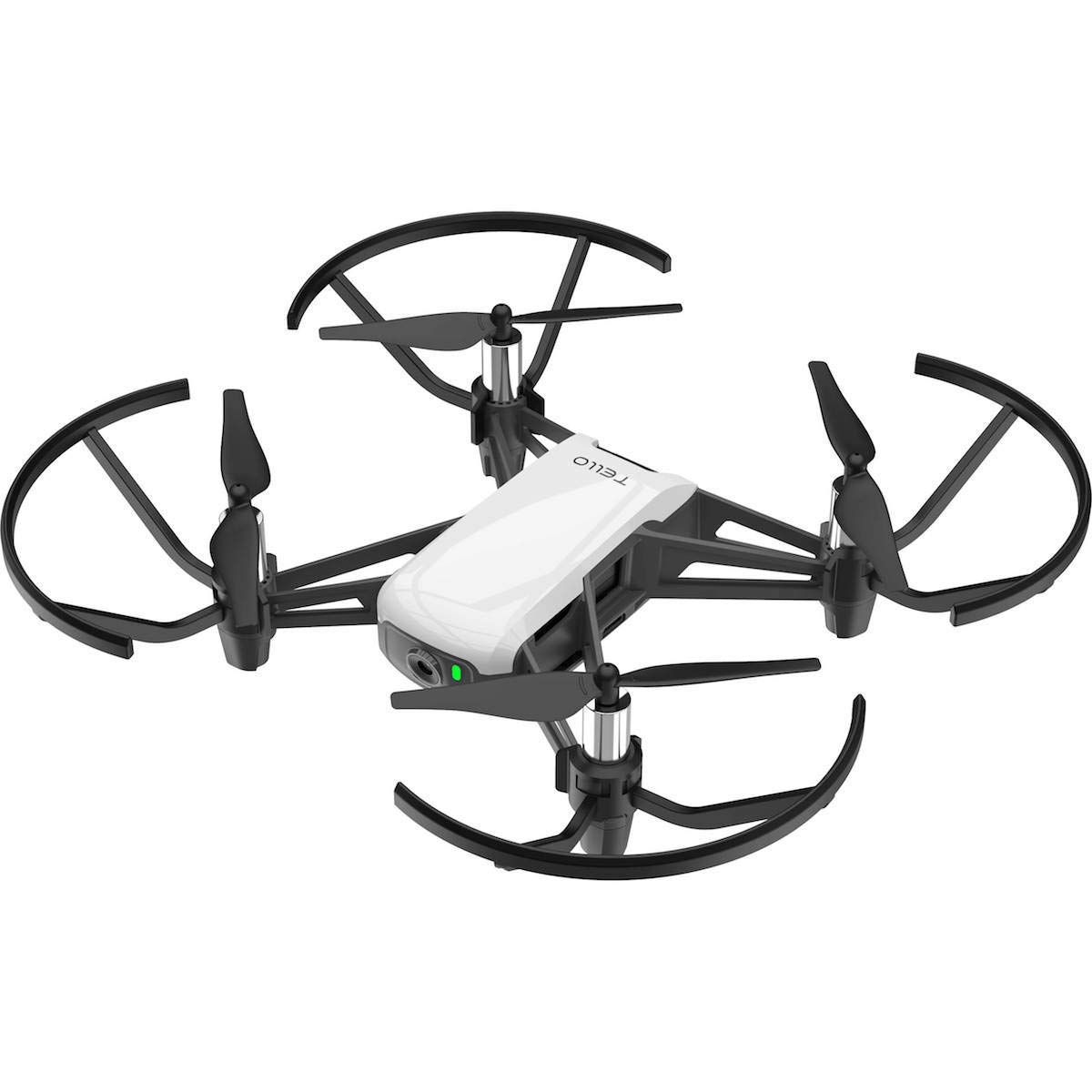
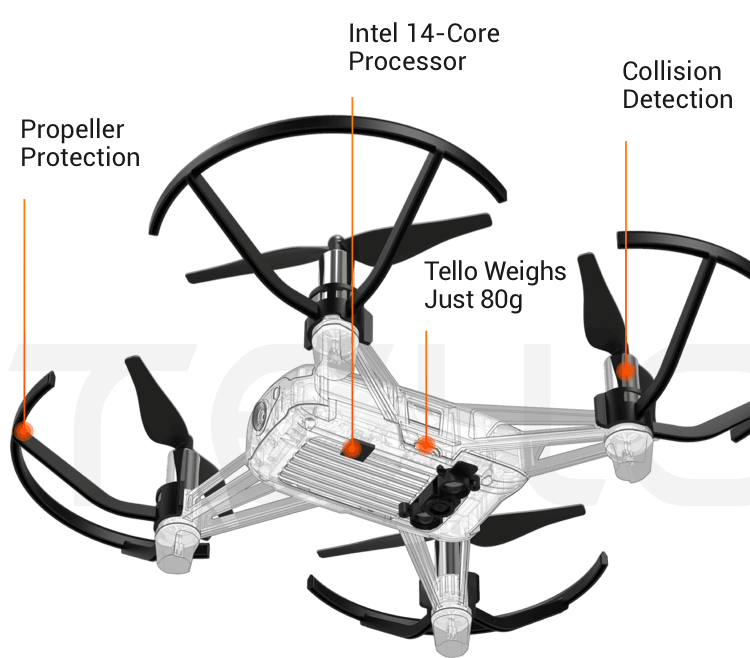
This project was completed as part of EPICS (Engineering Projects in Community Service) at Arizona State University, where the focus was on developing engineering solutions with real community impact. Our team worked on creating a small autonomous drone that could detect and avoid obstacles using only its onboard camera. A DJI Tello served as the platform because of its stability, built-in camera stream, and Python-accessible SDK. The goal was to build a simple and reliable pipeline that processed the live video feed, detected obstacles through computer-vision techniques, and adjusted the drone’s motion in real time. The result was a lightweight autonomous prototype that could safely navigate indoor environments without pilot control.
System Design
Control Framework
The drone was controlled through the DJI Tello Python SDK, which allowed me to send movement commands and pull in video frames at the same time. I built a main control loop that continuously read the camera feed, processed each frame, and immediately sent a new command back to the drone. This kept the drone responsive and let the navigation logic run in real time.
Obstacle Detection Logic
Object detection was done using OpenCV. Each frame went through a small processing pipeline:
- convert to grayscale
- apply Gaussian blur
- run Canny edge detection
- find contours and check their size/location
If the drone saw a large contour in its forward view, it treated it as an obstacle. Depending on whether the object appeared on the left, right, or center of the frame, the drone rotated or shifted sideways to steer around it.
Flight Behavior & Navigation
The flight routine was intentionally simple: take off, move forward at a controlled pace, scan continuously for obstacles, and adjust direction whenever something entered the view. Instead of big, sudden movements, the drone used small yaw adjustments and lateral shifts. This made the behavior smooth, predictable, and safer for indoor testing.
Platform Evaluation & Configuration
Before writing code, I compared common drone configurations - tricopter, hexacopter, v-tail, fixed-wing, and quadcopter - to understand stability and control characteristics. The quadcopter setup made the most sense for this project because it’s the easiest to control programmatically, and documentation for the Tello ecosystem is widely available.
Development Process
Prototyping & Testing
I tested everything indoors by flying the Tello toward simple obstacles like cardboard panels and furniture, then tuning the detection thresholds so the drone reacted consistently. This meant adjusting Canny parameters, contour sizes, and movement increments until the drone responded only when it really needed to.
Software Structure
The control loop was built around 4 steps:
- Read a frame
- Process the image with OpenCV
- Decide where the obstacle is (left, center, or right)
- Send a yaw or side-movement command
This structure made it easy to debug and tweak each piece without breaking the whole system.
Performance & Reliability
Once everything was tuned, the drone reliably took off, moved forward, spotted obstacles, and adjusted its path on its own. The Tello has a small command delay, but the control loop handled it well enough to keep the drone stable and responsive.
Challenges & How They Were Solved
Unstable Obstacle Detection
The first version of the vision pipeline reacted to tiny edges in the background and kept triggering false positives.
Fix: Adjusted the Gaussian blur strength, tuned the Canny thresholds, and filtered contours by minimum size so the drone only reacted to meaningful obstacles.
Delayed Flight Responses
The Tello has a slight delay between sending a command and the drone executing it, which originally caused over-correction or jerky motion.
Fix: Reduced the drone’s forward speed, used smaller yaw increments, and slowed the control loop timing so every movement lined up with the latest processed frame.
Left/Right Misclassification
Early tests showed that obstacles slightly off-center caused inconsistent turning directions because the detection boundaries were too tight.
Fix: Widened the frame’s “left/center/right” regions and added a buffer zone, which made the turn decisions much more reliable.
Poor Performance in Low-Light Areas
Dim indoor lighting caused weaker edges and fewer contours, which the drone sometimes interpreted as having no obstacles at all.
Fix: Increased image contrast and applied adaptive thresholding during preprocessing to stabilize detection under different lighting conditions.
Outcomes
- Built a working computer-vision pipeline using OpenCV (grayscale, blur, Canny, contour detection).
- Achieved stable autonomous movement with smooth heading changes and lateral adjustments.
- Demonstrated complete obstacle-avoidance behavior using only a single onboard camera - no depth sensors, markers, or external tracking.
- Validated that a low-cost, lightweight drone can perform simple autonomous navigation with clean software logic and consistent testing.
Skills Demonstrated
- Python drone control with the DJI Tello SDK
- OpenCV for real-time image processing
- Autonomous navigation and behavior design
- Multirotor configuration and system evaluation
- Indoor testing, tuning, and debugging autonomous systems